27 Oct 2026
On mobile, shoppers can now enlarge photos of recommended products
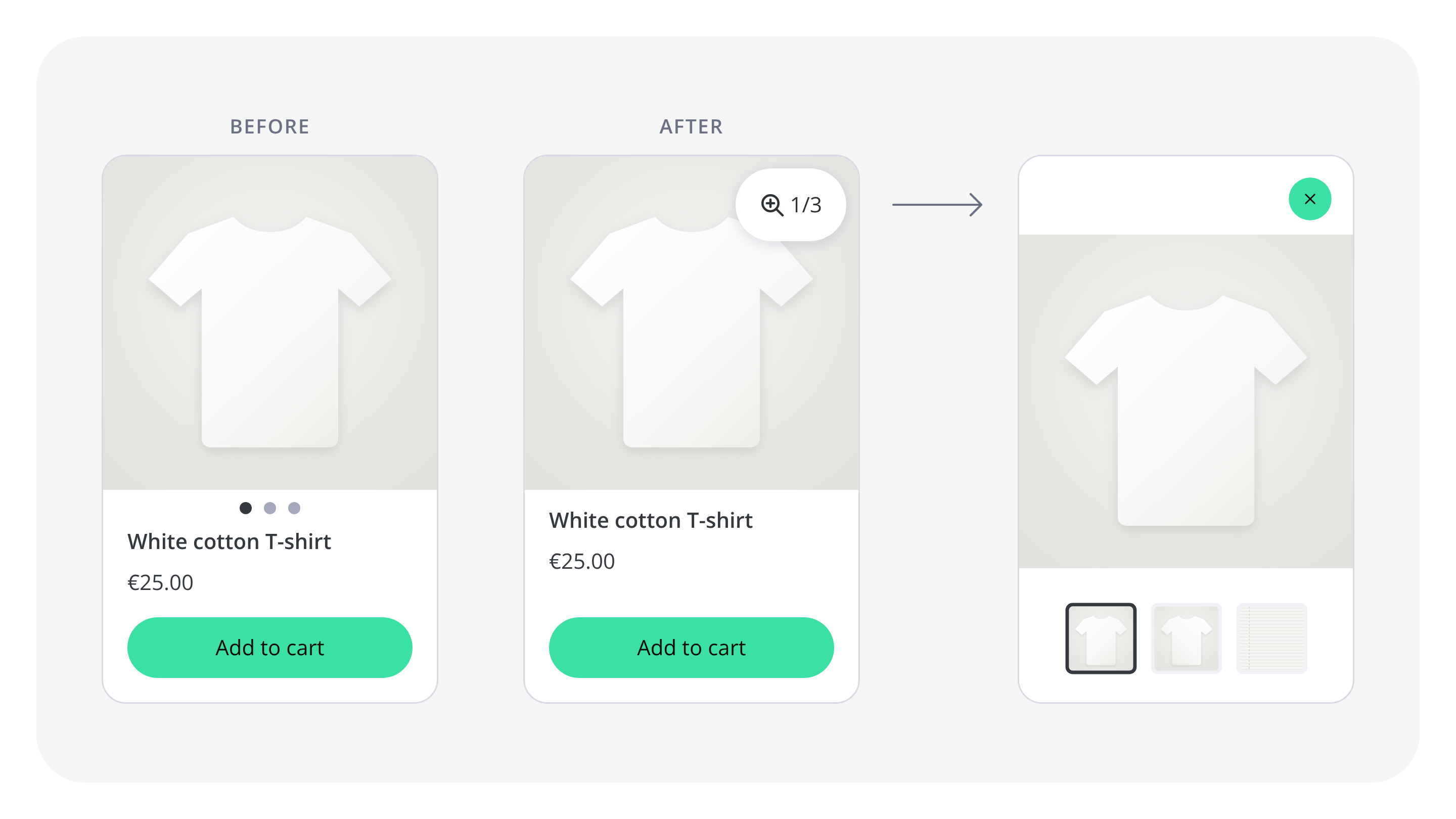
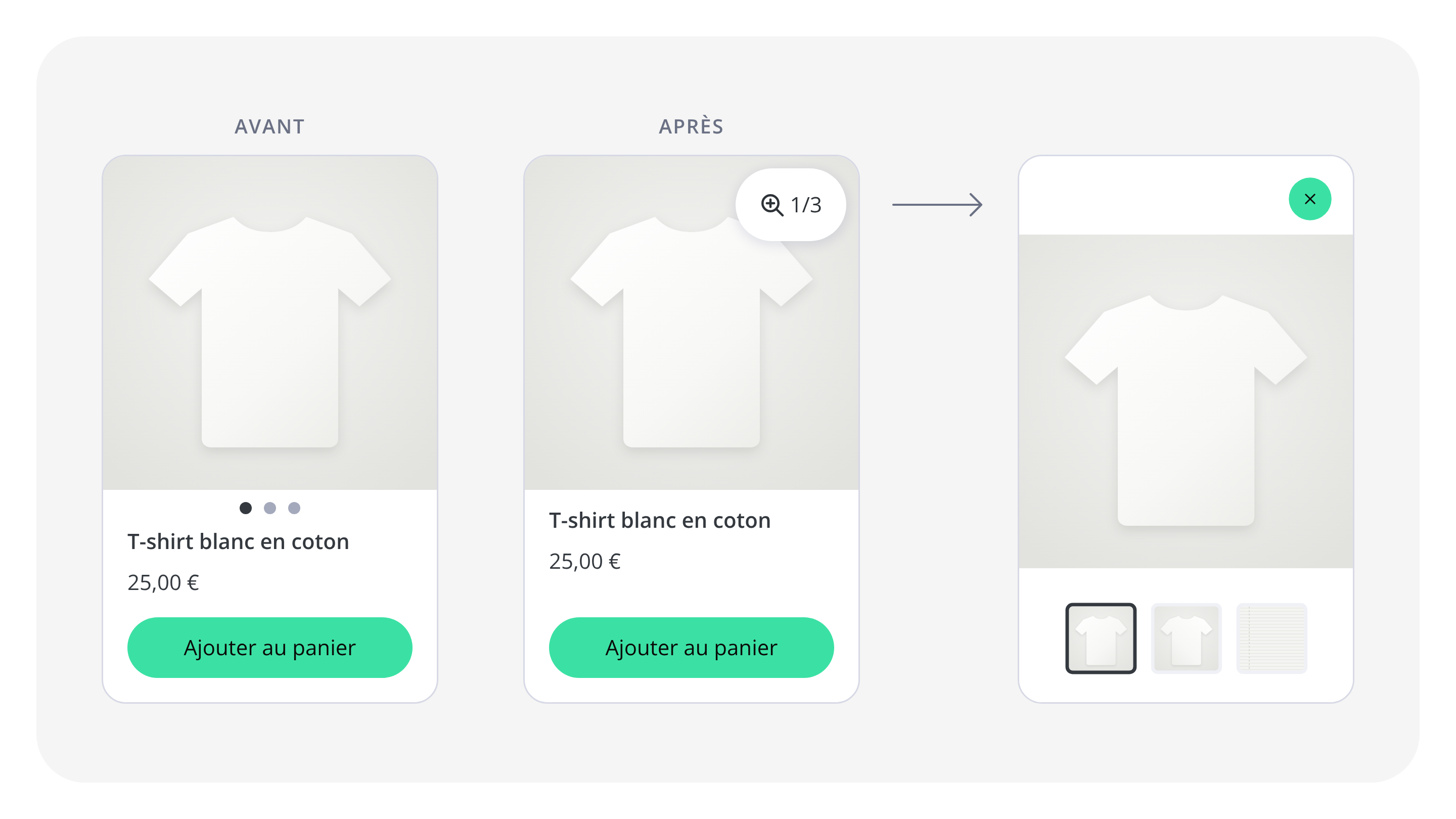
When your AI Shopping Assistant recommends products, each one appears as a card in the Shopping Panel. On a phone, the photos stayed small inside the card: shoppers could only swipe through them, and tapping a photo opened the product page.
Each card now shows one photo with a magnifier, plus the number of photos when there are several. Tapping the magnifier opens all the product's photos full screen, where shoppers browse them before going back to the conversation. Tapping the photo still opens the product page. Nothing changes on a computer.
This applies to every assistant, nothing to set up on your side.